Businesses in ChatGPT for B2B
What is Businesses in ChatGPT?#
OpenAI launched Businesses in ChatGPT in beta on Tuesday, 10 November 2026. It includes Business Hub, where eligible businesses can claim and manage their profiles and, once verified, see aggregate insights on mentions, website clicks, and discovery topics. It also introduces Business Agents, which eligible US ecommerce and online service businesses can create to answer customer questions about what they offer. ¹
We explored Business Hub to see how B2B teams could use it. Here’s what we’d put to work first.
How do B2B companies claim a profile in ChatGPT Business Hub?#
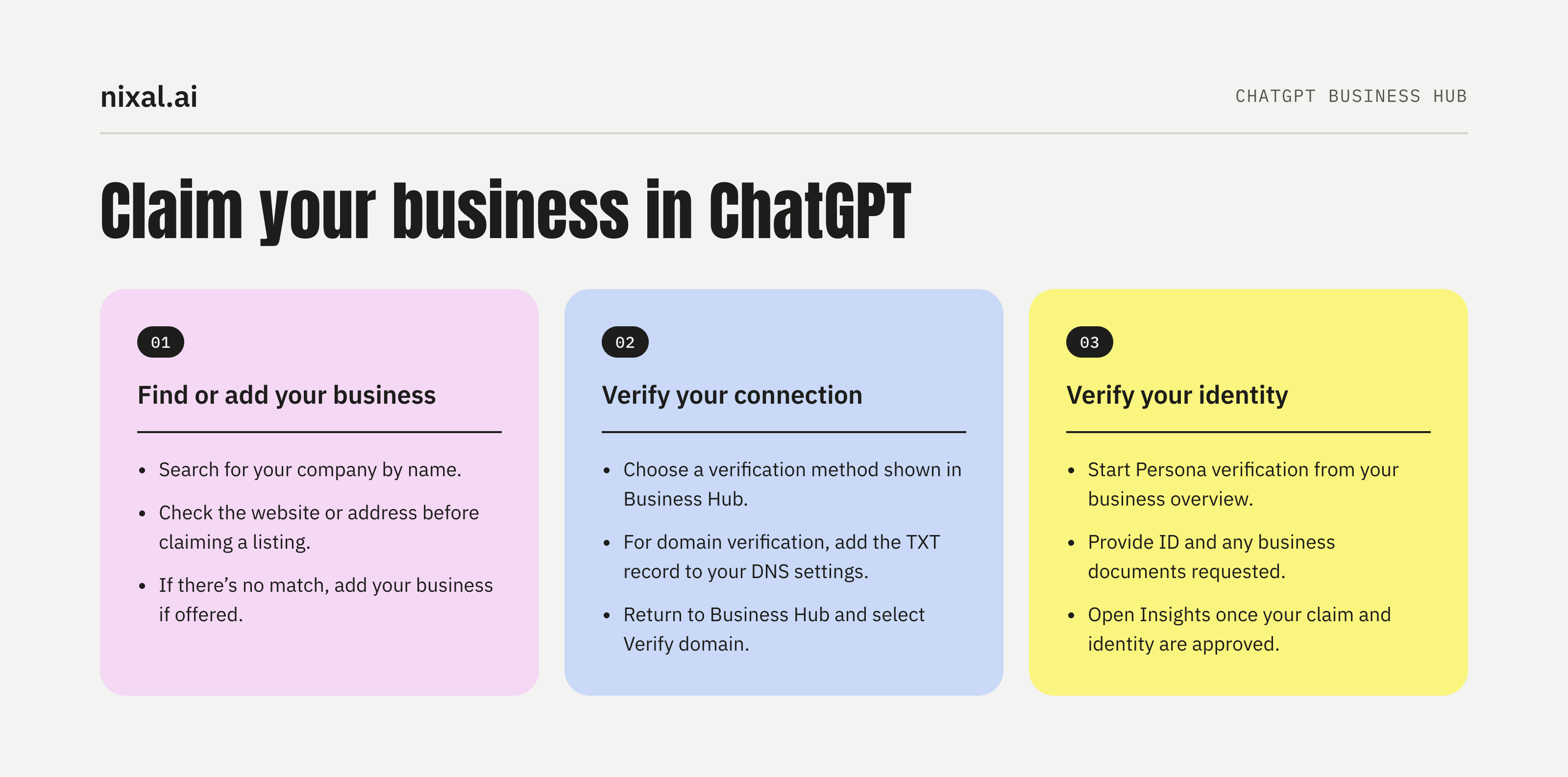
Start in Business Hub. Find or add your business, follow the verification steps shown, and complete the identity check through Persona. ²
What should B2B teams do after claiming a profile?#
At B2B companies, the information buyers rely on often sits across marketing, product, and engineering. Here’s how we’d bring it together and keep it current.
Keep the facts buyers rely on up to date, assign a profile owner in marketing, and define which questions a Business Agent should handle.
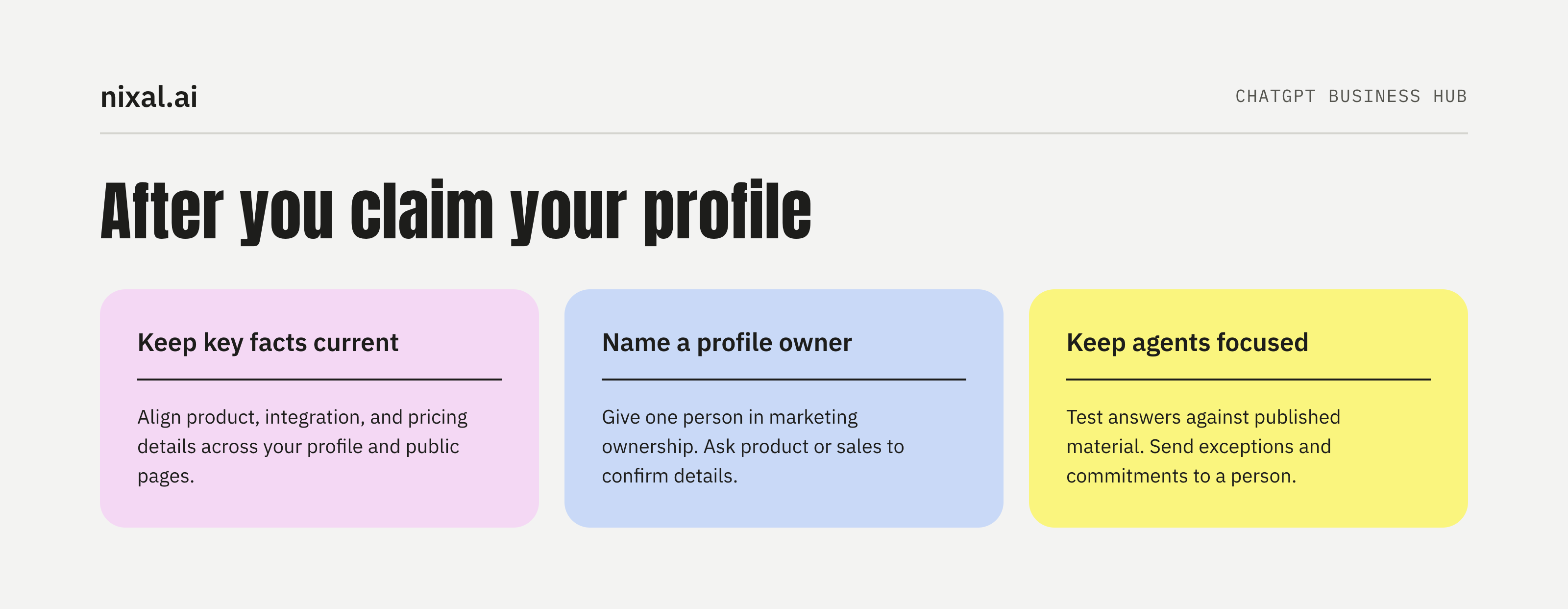
- Fix conflicting information where buyers find it. Check the facts that could change a buyer’s decision, such as who you serve, what you integrate with, and your published pricing. Check your website, Business Hub profile, and any directory or comparison page buyers consult. ChatGPT can draw on other sources, and OpenAI requires you to keep the information you supply current. ² ³
- Give one person ownership. Have someone on your team claim the profile. That admin can invite teammates or grant an agency access through Business Hub. Each person uses their own ChatGPT account. Ask product or sales to confirm details when they change. ² Who Should Own a GEO Program?
- Give a Business Agent a narrow job. If you’re eligible and choose to publish one, test it against current product documentation and published policies. Keep complaints, exceptions, and deal-specific commitments with your team. OpenAI’s terms make the business responsible for the agent and its outputs. ³
What does Business Hub measure?#
Once your verification is approved, open your business profile and go to Insights → Brand insights. ²
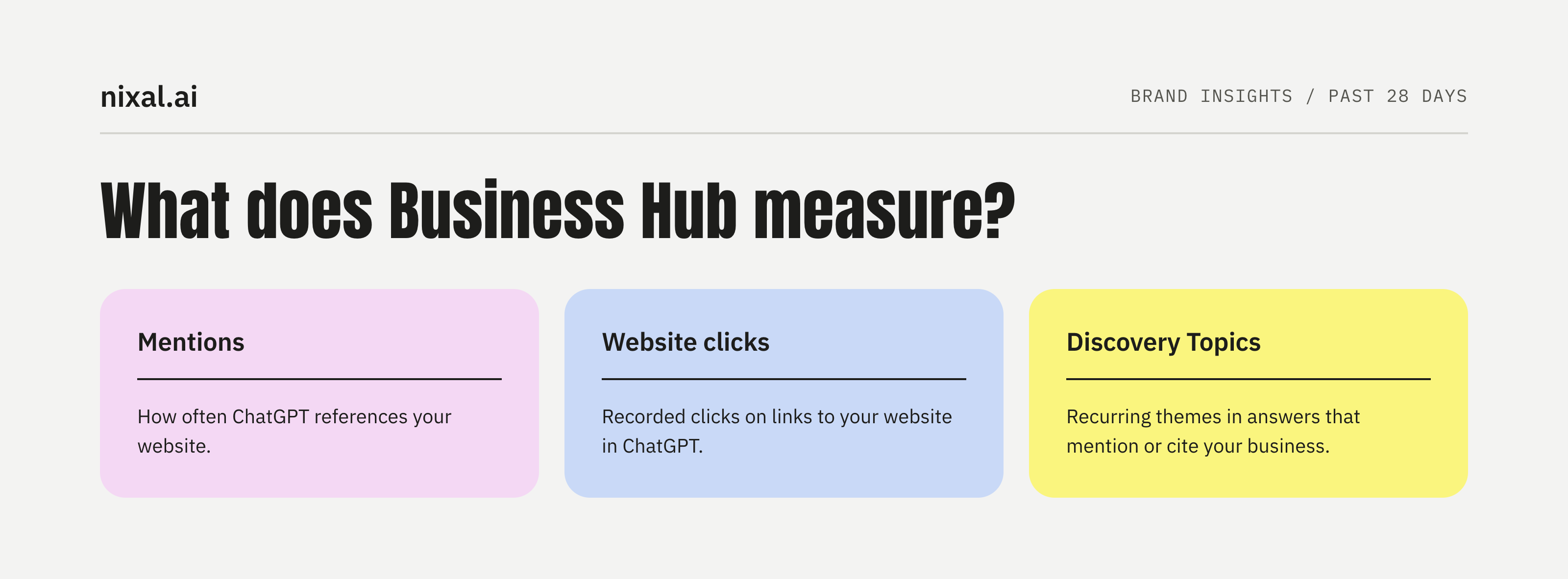
Business Hub reports aggregate activity for the past 28 days. ²
- Mentions: How often ChatGPT references your website, for online businesses.
- Website clicks: Recorded clicks on links to your website in ChatGPT.
- Discovery Topics: Recurring themes in answers that mention or cite your business.
For an online business, naming the company alone doesn’t count as a mention. Recorded clicks don’t confirm visits or conversions.
What can businesses see about your chats?#
OpenAI does not share your ChatGPT conversations or Business Agent chat transcripts with businesses. Business Hub shows aggregate insights once there is enough activity to meet OpenAI’s reporting thresholds. If you provide contact details through a Business Agent and authorize OpenAI to share them, the business may receive those details. ¹ ³
How can you turn Discovery Topics into buyer questions?#
Start with Top 5 discovery topics in Brand insights. To work out what buyers might be evaluating, compare a recurring theme with sales-call notes and customer support questions.
Then test a few plausible buyer questions in ChatGPT Search. Record which companies it recommends, how it describes yours, and which pages it cites. Save the first set of answers as your organic baseline. ²
Give one person in marketing ownership of that review. A specialist agency can help research the questions and inspect the sources if the team lacks capacity. Use Business Hub Insights for internal analysis. An agency reviewing the data on your behalf must follow equivalent restrictions. For public case studies, use your own ChatGPT Search tests and the sources they cite. ³ Use the findings to decide which pages need work. For example, if an integration page lists supported systems but skips a workflow buyers ask about, explain how that workflow works.
How does ChatGPT Business Hub compare with Google’s AI search report?#
| What you want to know | ChatGPT Business Hub | Google Search Console’s Generative AI report |
|---|---|---|
| How does your business show up? | For an online business, a mention counts when ChatGPT references your website. ² | Counts impressions when links to your site appear in AI Overviews or AI Mode. ⁴ |
| What can you investigate next? | Discovery Topics show recurring themes in answers that mention or cite your business. Use a theme to frame a buyer question you can test directly. ² | Breaks down AI impressions by page, country, device, and date. The report doesn’t show individual queries. ⁴ |
| Can you see clicks? | Reports recorded clicks on links to your website from ChatGPT. ² | The dedicated AI report shows impressions only. Clicks from AI Overviews and AI Mode are included in Google’s broader Web search totals. ⁴ ⁵ |
Use Google’s AI report to spot pages worth reviewing. Then use GA4 and your CRM to see which identifiable sources bring demo requests that become qualified opportunities. GA4 groups visits from AI Overviews and AI Mode under Organic Search, so use that broader category when comparing pipeline by channel. ⁶
Does paying for ads change ChatGPT recommendations?#
OpenAI says advertising does not influence ChatGPT’s independent answers. Claiming a profile lets you manage the information you submit, with no guarantee of better placement or more sales. Claiming a profile, publishing a Business Agent, and running ads are separate decisions. ² ⁸
A Sponsored Business Agent lets people start a chat directly from an eligible ad. OpenAI began testing the format in September 2026 and is rolling it out to eligible advertisers in Ads Manager. The sponsored agent is currently set up in Ads Manager, where you can reuse the business information and guidelines you prepared for Business Hub. ⁹ ¹⁰
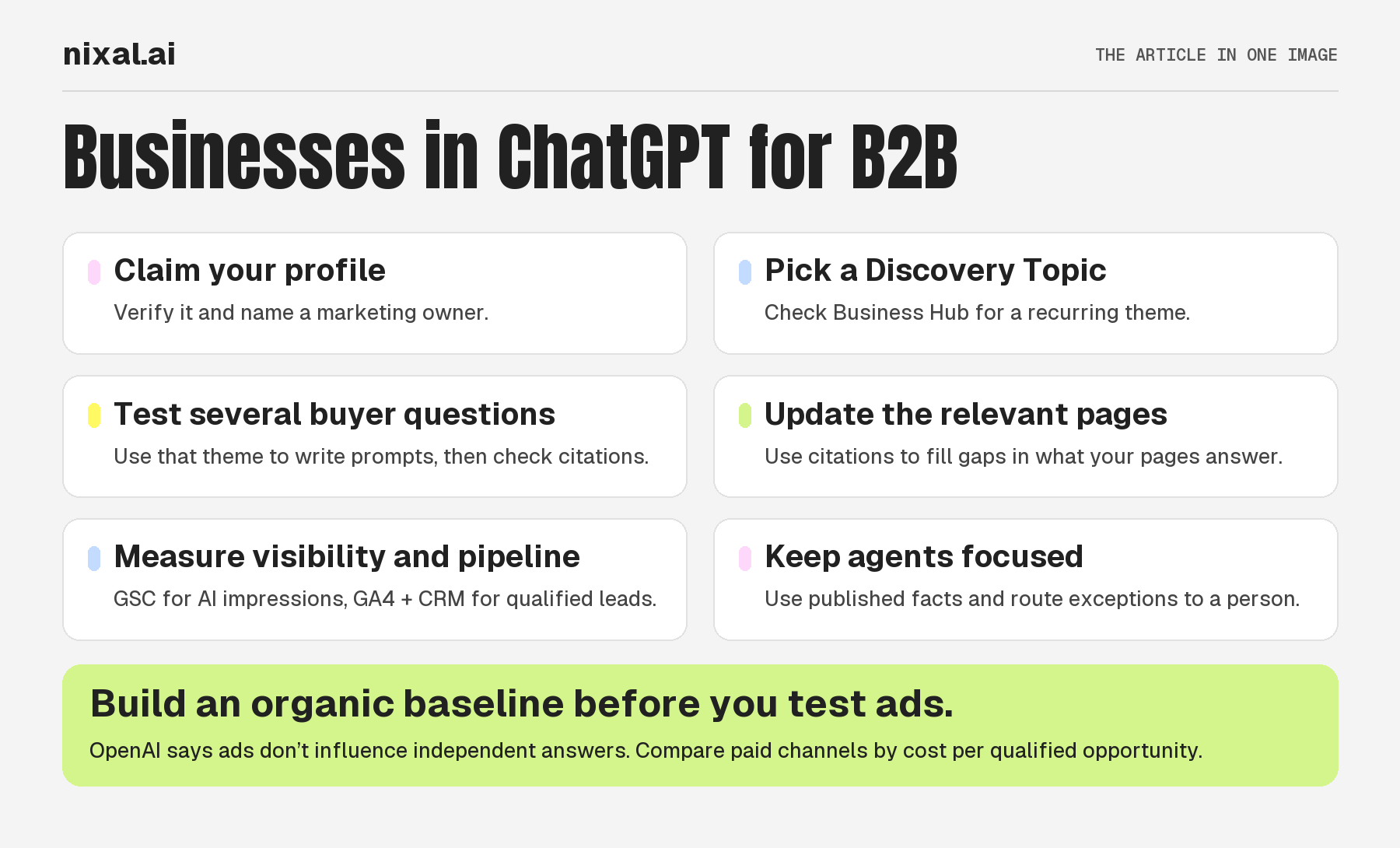
For B2B teams, build an organic baseline before you budget for ChatGPT ads. When ads become available to your team, run a separate test and compare its cost per qualified opportunity with your other paid channels.
Key takeaways for B2B marketing teams#
- Claim and maintain your profile. Give one person in marketing responsibility for keeping it current. ²
- Use Discovery Topics to decide what to investigate. Test several buyer questions and use the cited sources to decide which pages need updating.
- Follow visibility through to qualified opportunities. Use the platform reports for visibility and GA4 and your CRM for qualified opportunities you can trace to a source. ² ⁴
- Give agents a narrow job and test ads on their own merits. Keep exceptions with your team and judge paid tests by cost per qualified opportunity. ² ³
If your team needs help getting started with Business Hub or establishing an organic baseline, start with Nixal’s GEO audit.
ChatGPT Business Hub FAQ
Can a B2B company claim a profile without a ChatGPT Enterprise plan or an ads account?
Yes. An owner or authorised representative can claim an eligible business without an Enterprise agreement or ads account. Eligibility depends on the business type, location, and available verification method. ²
What if Business Hub shows another company with the same name?
Check the website or address before claiming the listing. When we searched for Nixal and nixal.ai, both searches returned a same-name business in Decatur, Georgia. The address didn’t belong to us, so we left the listing alone.
How do I add my company if it isn’t listed?
If Business Hub offers a Create option, select it, choose Through a website, and enter your company’s website. After verifying the domain, choose a business category and add a description if you’d like. ²
How do I verify my domain in Business Hub?
Add the TXT record from Business Hub to your DNS settings, then select Verify domain. If verification fails, check that the record is on the correct domain and that the host name and value match exactly. DNS changes can take time to appear. Check the expiry time shown in Business Hub before retrying. ²
Why does Business Hub still ask for Persona after domain verification?
Domain verification confirms control of your website. Persona checks the identity of the person representing the business and is required before you can access Insights or publish profile updates. ² Open your business overview and select Complete verification with Persona. OpenAI may ask for a government-issued ID, business registration details, and proof that you’re authorised to represent the company. If you use Persona to create a new profile, OpenAI publishes it automatically on approval. Before submitting, check that your business description, website, and contact details are ready to go public. OpenAI Support cannot remove or hide a published profile through a setup or ownership request. ²
Why is my Business Hub Insights dashboard blank?
A blank metric may mean activity is below OpenAI’s reporting threshold, data is still being collected, or reporting is unavailable. ²
Can I see the exact questions behind Discovery Topics?
No. Discovery Topics group recurring themes in answers that mention or cite your business. ²
Can I use the same Business Agent in Business Hub and ChatGPT Ads?
Currently, the settings don’t sync. Eligible advertisers set up a Sponsored Business Agent separately in Ads Manager and can reuse the business information and guidelines they prepared for Business Hub. ¹⁰